
Theory Builder
Learn how to generate theory content in MyThesis using your section topic and academic sources.
Theory Builder helps you create source-based theory content directly inside a thesis section. You choose the focus of the section, select relevant literature and generate text that is inserted into the current section.
Opening Theory Builder
Open the theory section
Go to the section of your thesis where you want to create theory content.
Click the sparkle icon
Use the sparkle icon on the left side of the section.
Open Create with AI
The Create with AI panel opens on the right side of the thesis workspace.
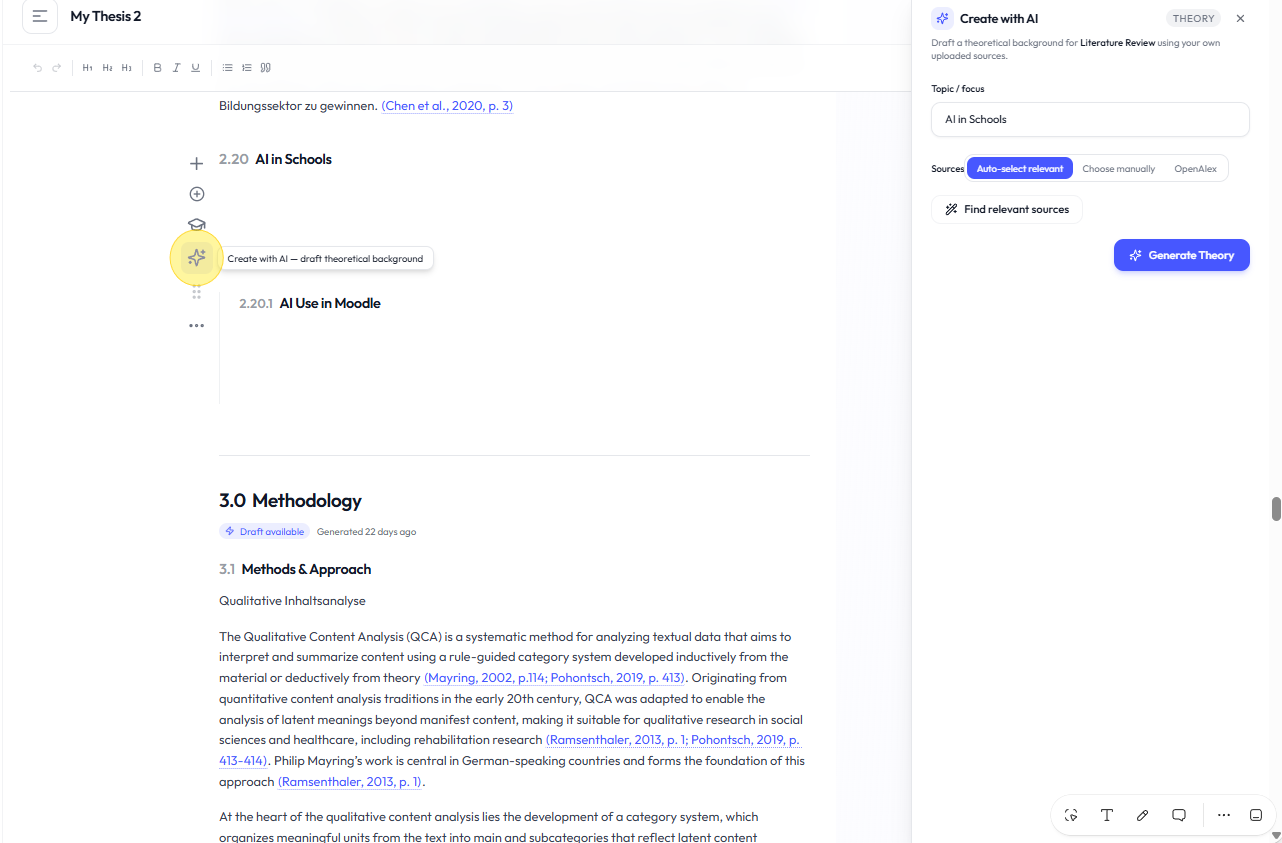
Topic or focus
The Topic / focus field is prefilled with the title of the current section. Review it before generating and adjust it if you want the generated theory to focus on something more specific.
Choosing sources
Theory Builder gives you several ways to find and select academic sources.
- Auto-select relevant: Academly searches your available sources and suggests relevant material for the section.
- Choose manually: Select documents directly from your library.
- OpenAlex: Search for additional academic literature and add useful results to your library.
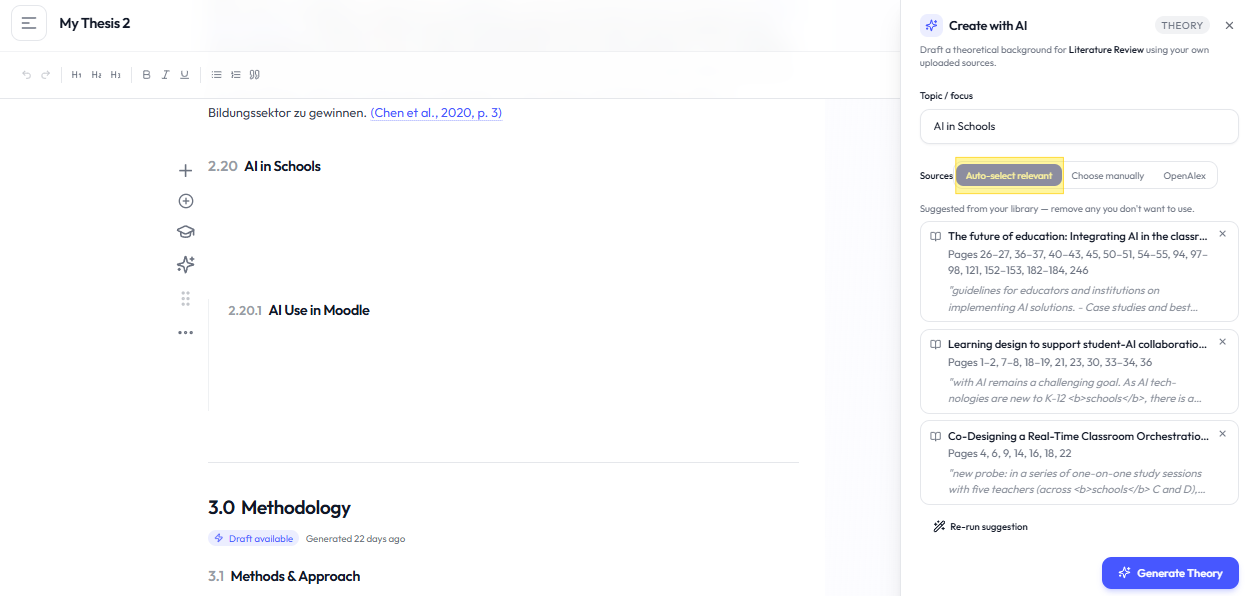
Auto-select relevant sources
Choose Auto-select relevant
Use this option when you want Academly to suggest sources that match the current section.
Find relevant sources
Start the relevance search and review the suggested documents.
Review the selection
Remove sources that you do not want to use.
Run the suggestion again if needed
Use Re-run suggestion if you want Academly to search again.
Choosing sources manually
Manual selection lets you choose sources directly from your library. The source selection uses pages 1 to 15 by default where applicable.
Using OpenAlex
OpenAlex search can be used to discover additional academic literature. Adding an OpenAlex result places the source in your library. It does not automatically attach that source to the current thesis section.
Generating theory content
Review the topic
Make sure the Topic / focus field describes what you want the section to cover.
Review your sources
Check that the selected literature is relevant to the section.
Click Generate Theory
Start the theory generation.
Review the generated text
The result is written directly into the current thesis section. There is no separate preview step.
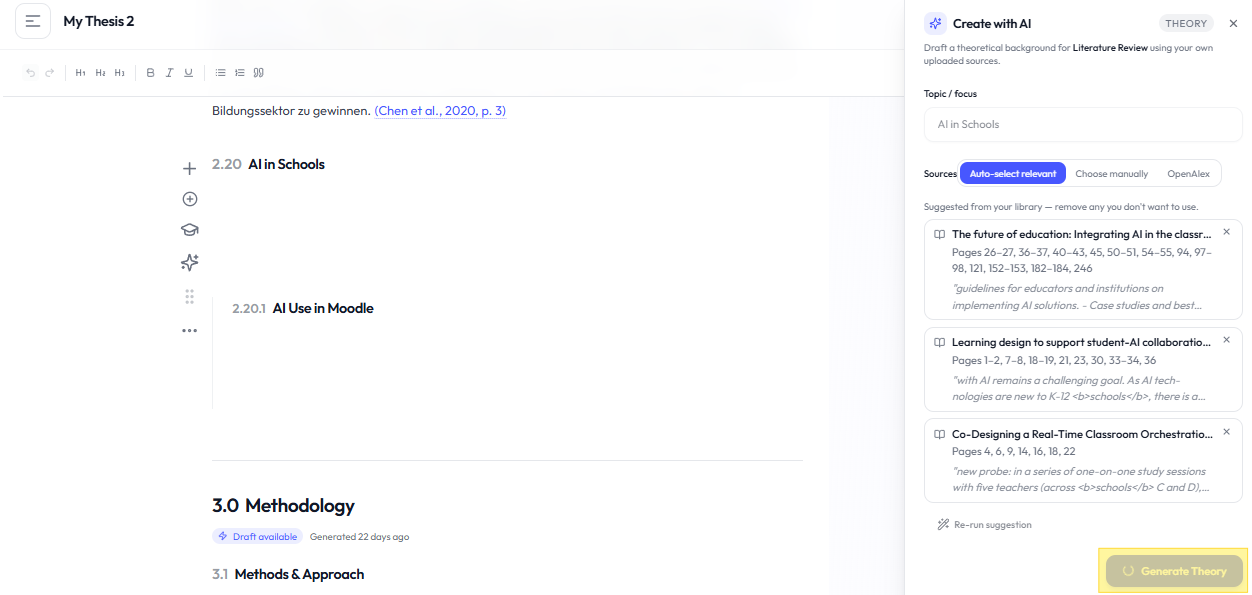
Review generated content
Read and edit generated theory before using it in your final thesis. Check the supporting evidence and verify important claims against the original sources.
Related sections
- Sources & Evidence
- Methodology Builder
- Fox AI
- Thesis Supervisor