
Data Backup
Learn how to create and download a backup of your Academly data.
Academly lets you create a downloadable backup of your account data so you can keep a separate copy of your work.
What this section is about
A backup gives you an additional copy of important thesis and research data stored in Academly. The backup is created as a downloadable file that you can store outside the platform.
When you should create a backup
- When you reach an important thesis milestone
- Before making major changes to your project
- When you want an additional copy of your work
- Before completing or submitting your thesis
- When you want to store your project data outside Academly
How to create a backup
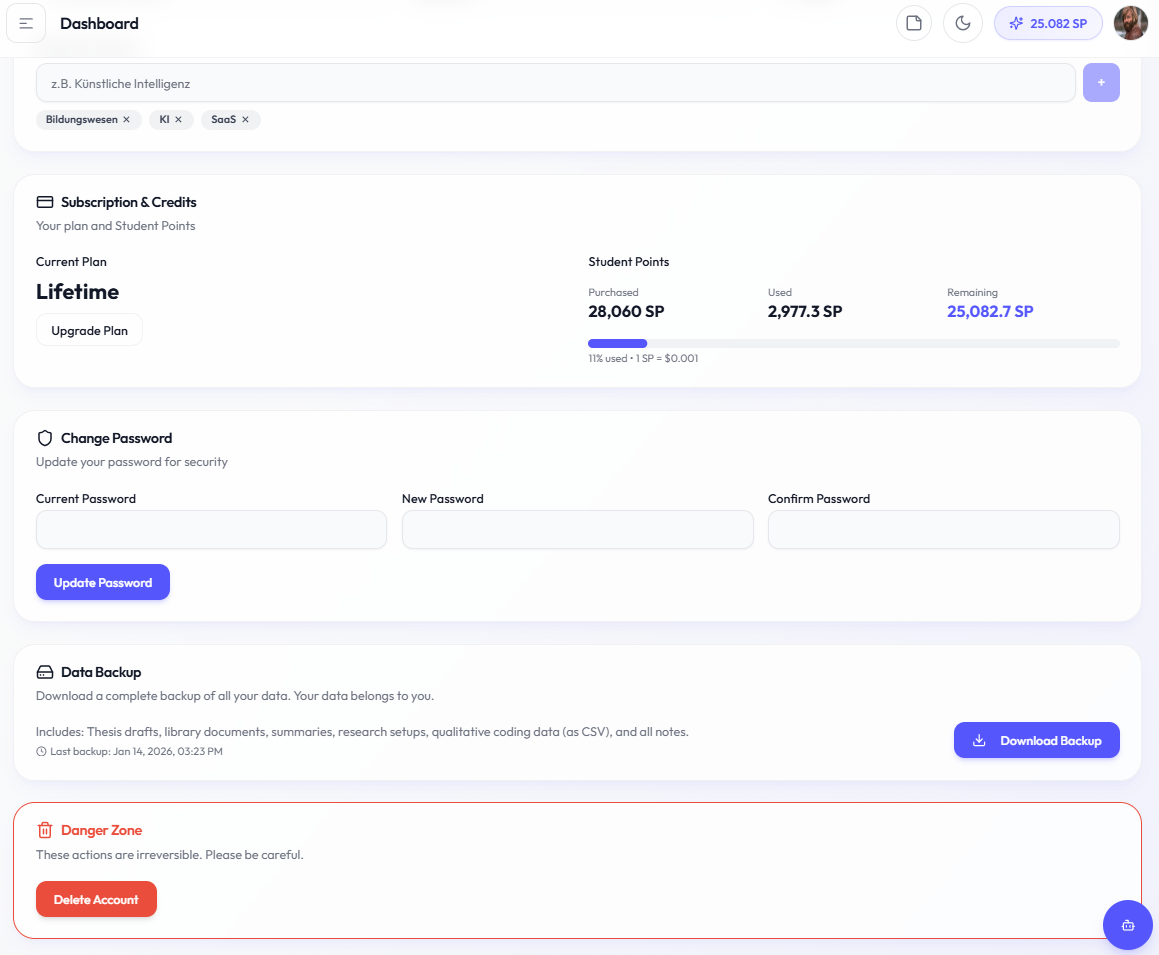
Open your account settings
Go to the account area in Academly.
Open Data Backup
Find the Data Backup section in your account settings.
Create a backup
Start the backup process using the available Create Backup action.
Wait for the backup to finish
Academly prepares the available account and project data for download.
Download the backup
Download the generated backup file once processing is complete.
Store the file safely
Keep the backup on a secure local drive, cloud storage service or another location you control.
What a backup can contain
- Thesis drafts and project content
- Documents from your library
- Generated summaries and saved content
- Research Setup data
- Qualitative research data such as codebooks and coded material
- Available notes and related project data
Backup recommendation
Create backups regularly and keep important copies in more than one location. This gives you an additional copy of your work outside Academly.
Important notes
Large projects may take longer to prepare for download. After downloading a backup, check that the file is stored safely and keep older milestone backups when they may still be useful.
Related sections
- Exporting Your Work
- Managing Your Account
- My Library