
Creating a Thesis
Learn how to create a new thesis in Academly using the guided thesis setup.
The thesis setup guides you through the initial project configuration. You define your topic, choose a thesis structure, review suggested literature and select your citation settings.
Before you start
Your preferred writing language comes from your Academly profile. Check your profile language before creating a thesis if you want to change the language used during the setup.
Step 1: Topic
Enter a working thesis title and, if useful, additional context about your research. Academly can use this information to suggest possible thesis topics.
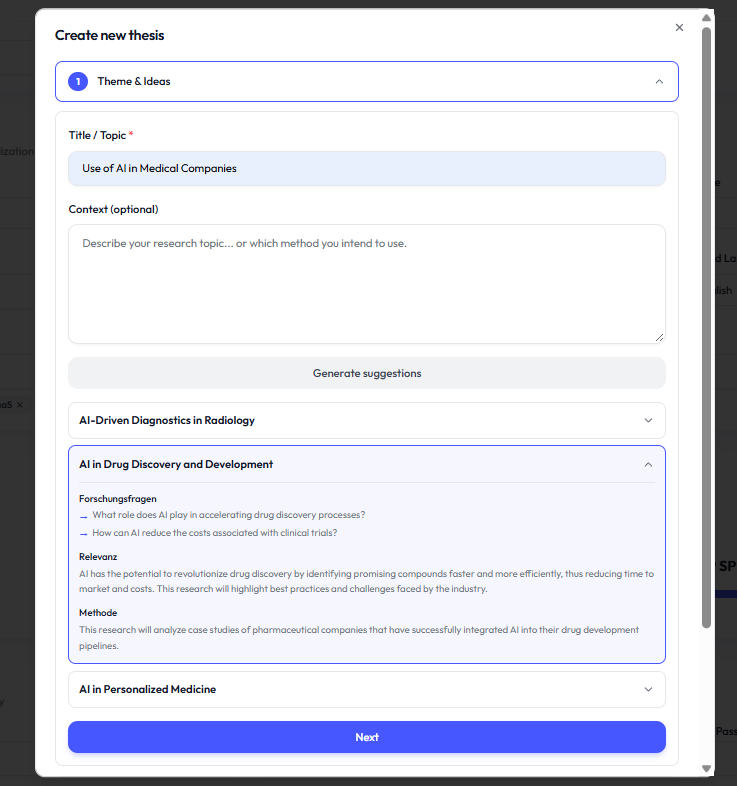
- Enter your working title
- Add optional context
- Generate topic suggestions if needed
- Review up to three suggestions
- Select the topic you want to continue with
Step 2: Structure
Choose whether you want Academly to create an initial thesis outline or whether you prefer to start with an empty structure.
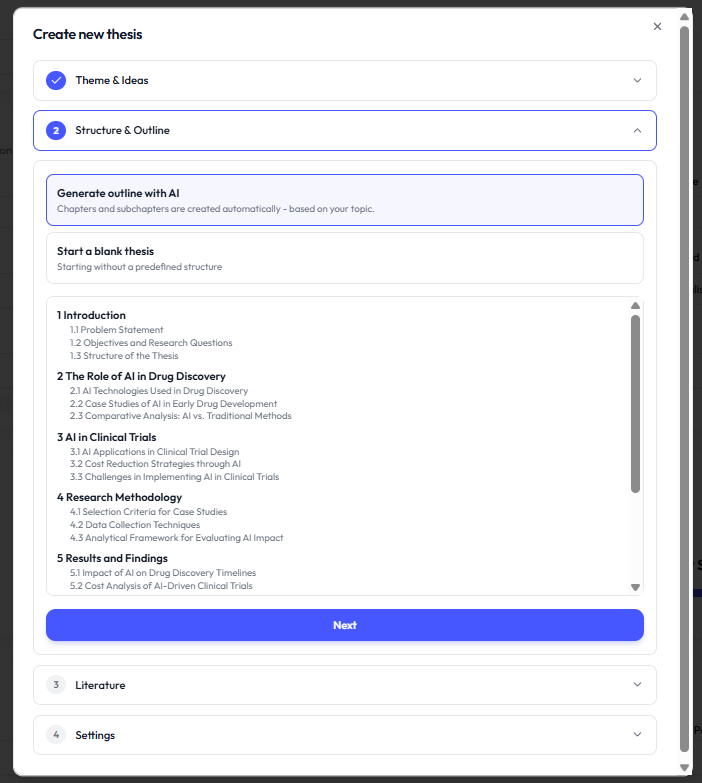
Step 3: Literature
Academly searches for three academic sources related to your thesis topic. The interface shows the current search status while the literature search is running.
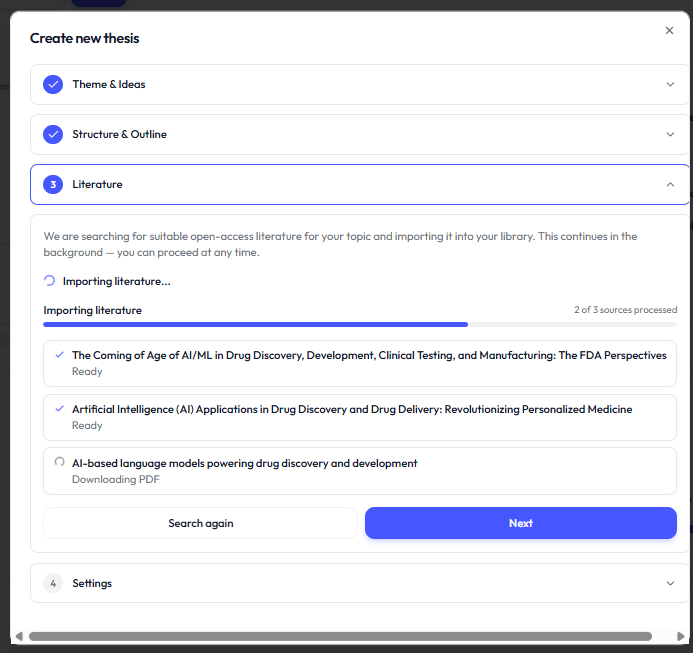
- Searching academic literature indicates that the search is still running
- Ready indicates that the literature step has completed
- You can continue with thesis creation if the literature search fails
Step 4: Citation settings
Choose the citation style you want to use for the thesis. The available styles are APA7, Harvard, MLA, Chicago and IEEE.
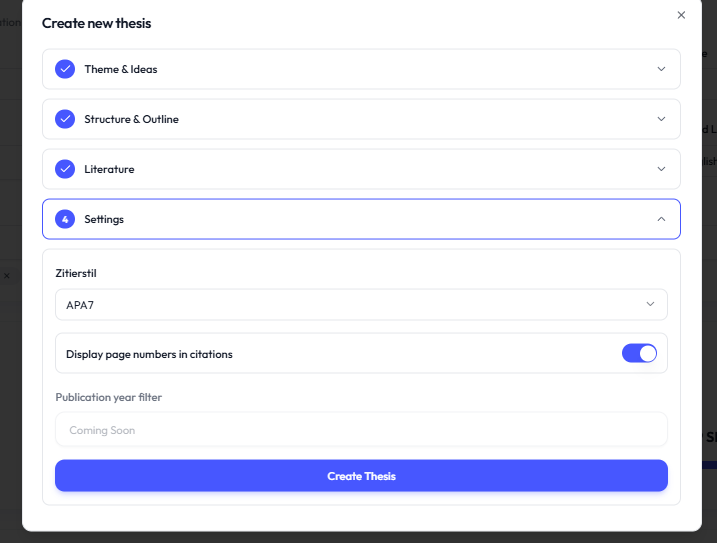
- APA7
- Harvard
- MLA
- Chicago
- IEEE
References chapter
A References chapter is created automatically as part of the thesis structure. It is used for the references connected to your thesis.