
Chapters & Sections
Learn how to create, rename, organize and remove chapters and sections in your Academly thesis.
Your thesis is organized into chapters, sections and subsections. Academly handles the numbering automatically while you control the titles and structure.
What this section is about
This section explains how to add sections and subsections, rename them, change the chapter kind and remove sections you no longer need.
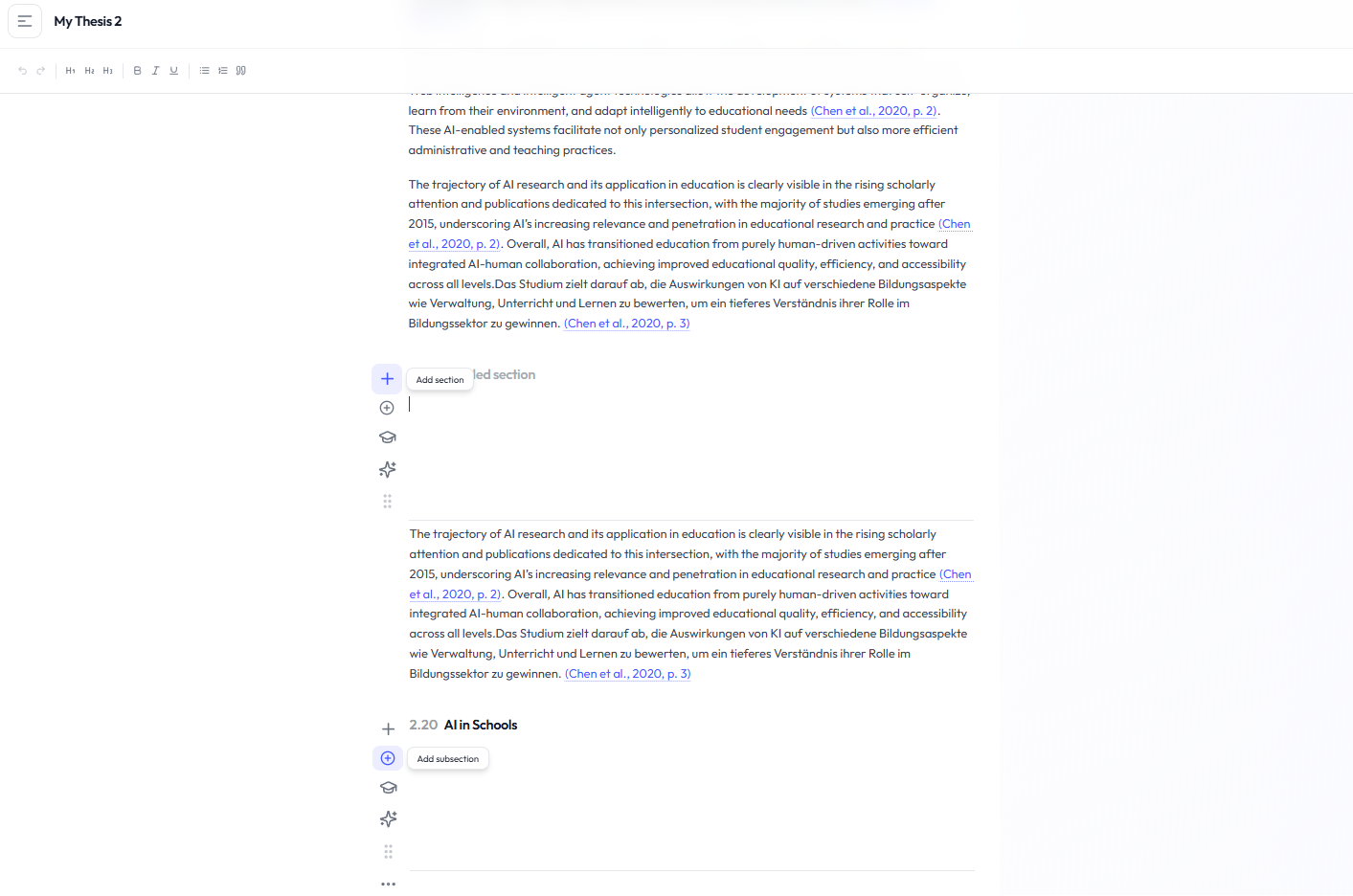
Adding a section
Find the section controls
Move to the section where you want to extend the structure and use the action icons on the left.
Click the Plus icon
Use the Plus action to create a new section.
Name the new section
Enter the title that should appear in your thesis structure.
Adding a subsection
Use the Add Subsection action to create a subsection below an existing section. The current editor supports one subsection level below a section.
Renaming a section
Click the section title
Select the title directly in the thesis structure to begin editing it.
Enter the new title
Replace or edit the existing section title.
Save or cancel
Press Enter to save the new title. Press Esc to cancel the change.
Automatic numbering
Academly automatically assigns numbering based on the position of chapters, sections and subsections. Depending on the structure, numbering can appear in forms such as 1.0, 1.1 or 1.1.1.
Section menu
Open the three-dot menu next to a section to access additional structure actions.
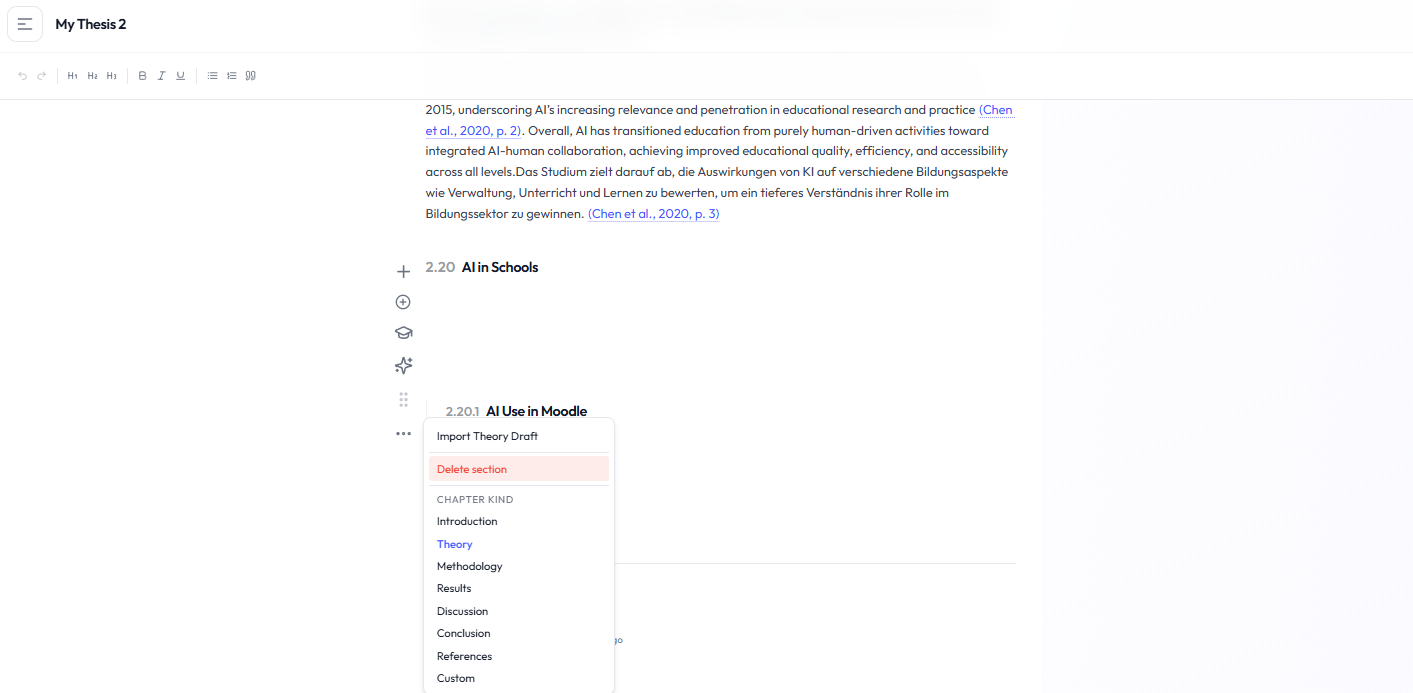
- Delete section
- Change the chapter kind
Deleting sections
A section can be deleted from its menu. A section that still contains subsections cannot be deleted until those subsections have been removed or reorganized.
Before deleting
Review the content of a section before deleting it. Removing a section may also remove thesis content stored in that section.
Reordering
Drag-and-drop reordering is currently shown as a future feature and is not available in the current thesis editor.